Built by a line pilot, for line pilots
Know your contract. Catch bad trips. Bid what actually pays.
Insights reads your PWA, the Scheduling Reference Handbook, FAR Part 117, your bid package and bid results, and your paychecks — then hands you answers, legality flags, real dollar values and layover intel in seconds.
- 6
- Tools in one login
- —
- Dollars flagged for recovery by Pay Check
- 1,000+
- Layover events surfaced
Vector AI
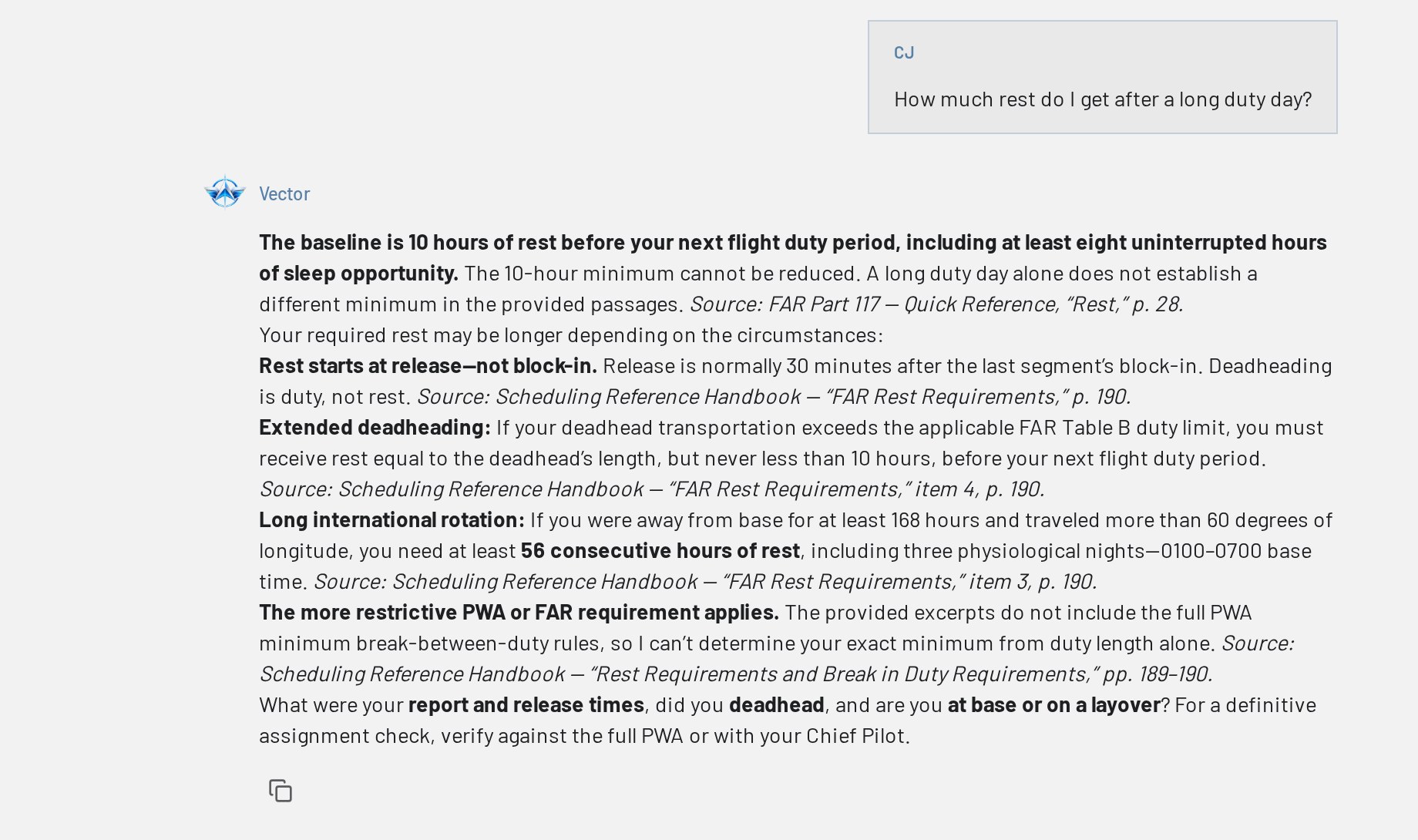
Contract answers, with the citation attached
Ask in plain English. Vector searches the Pilot Working Agreement and the Scheduling Reference Handbook — not the open internet — and tells you exactly which section it came from.
- Grounded in the PWA, Scheduling Reference Handbook, FAR 117 and the ALPA Compensation Reference Handbook
- Every answer ends with the sections it relied on, so you can verify it
- Attach documents or pictures and Vector reviews them against the reference library
- The more you use it and flag what needs work, the smarter it gets
Legality Search
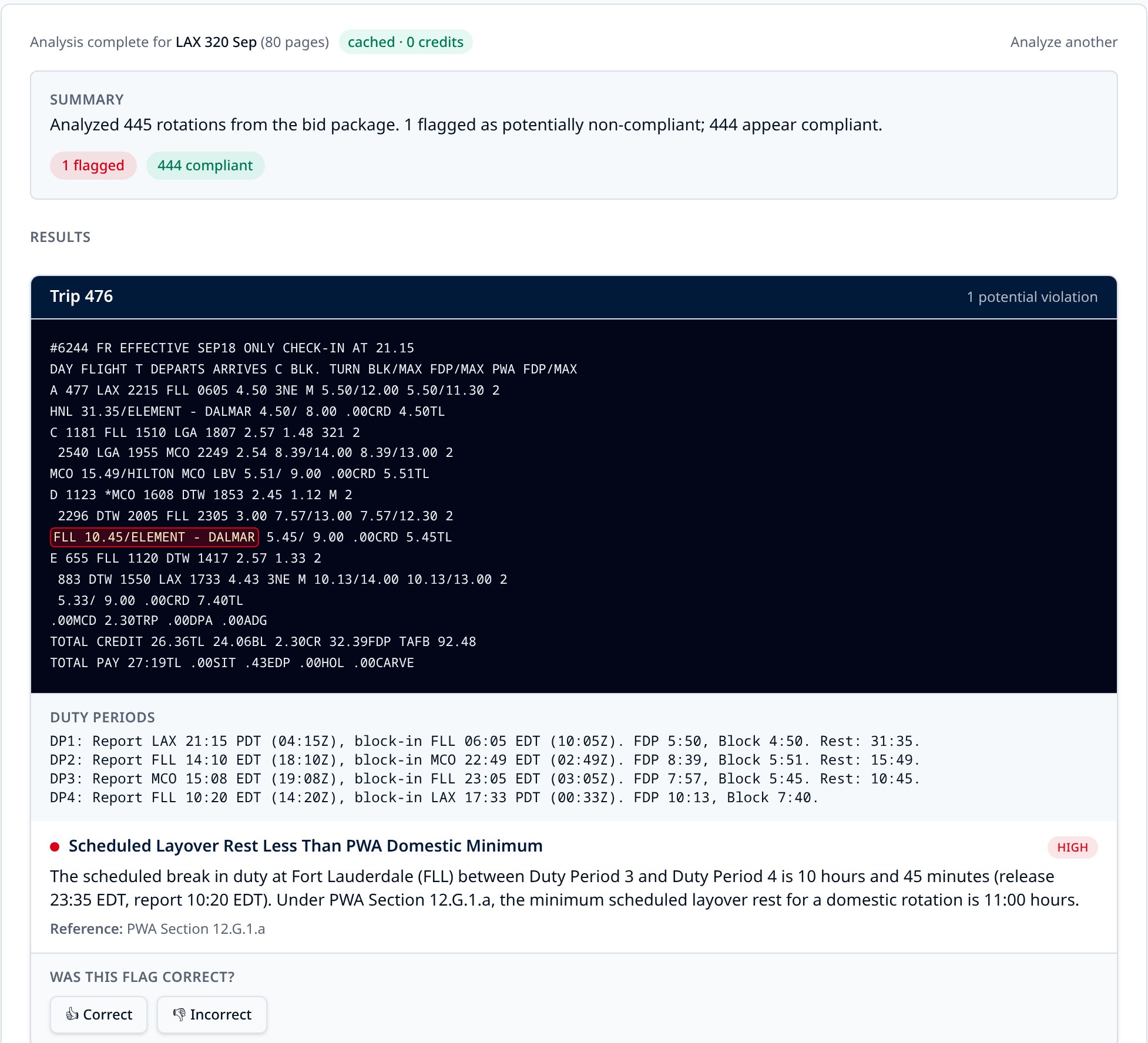
Find the trips built against the contract
Upload your bid package and every rotation gets cross-referenced against the PWA, the handbook and FAR Part 117 — including augmented crew rules — before you ever bid it.
- Duty periods, FDP, block and rest reconstructed for each trip
- Flags cite the exact PWA section or FAR limit that was missed
- Already-analyzed packages load from the shared cache instantly
Trip Search
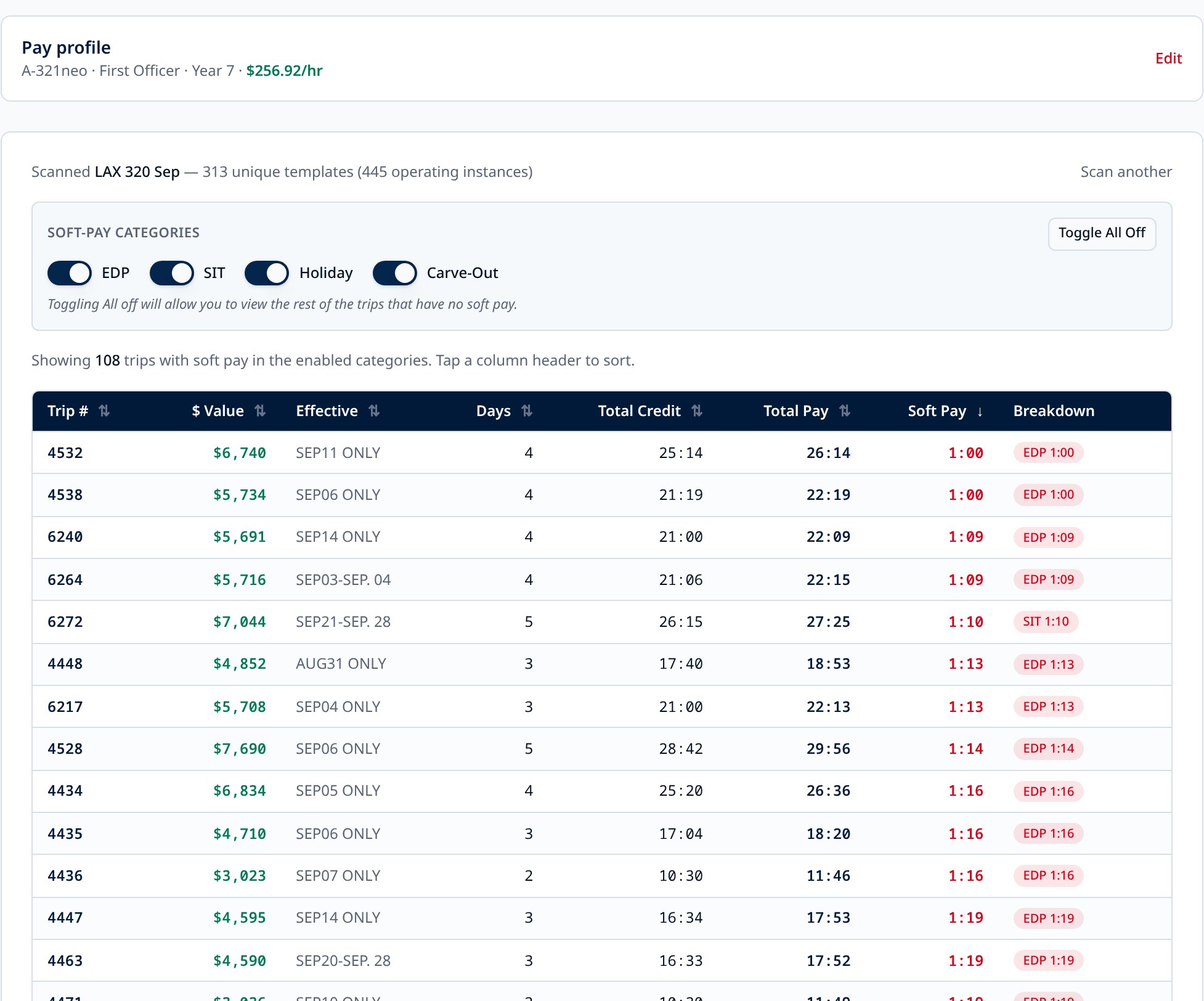
See what a trip is worth — to you
EDP, SIT, holiday and carve-out pay are easy to miss reading a bid package. Trip Search ranks every trip by soft pay and multiplies total pay by your own rate.
- Personalized to your aircraft, seat and longevity year
- Soft-pay categories toggle on and off so you rank what you care about
- Sort by dollars, credit, days or soft pay in one click
Bid Results
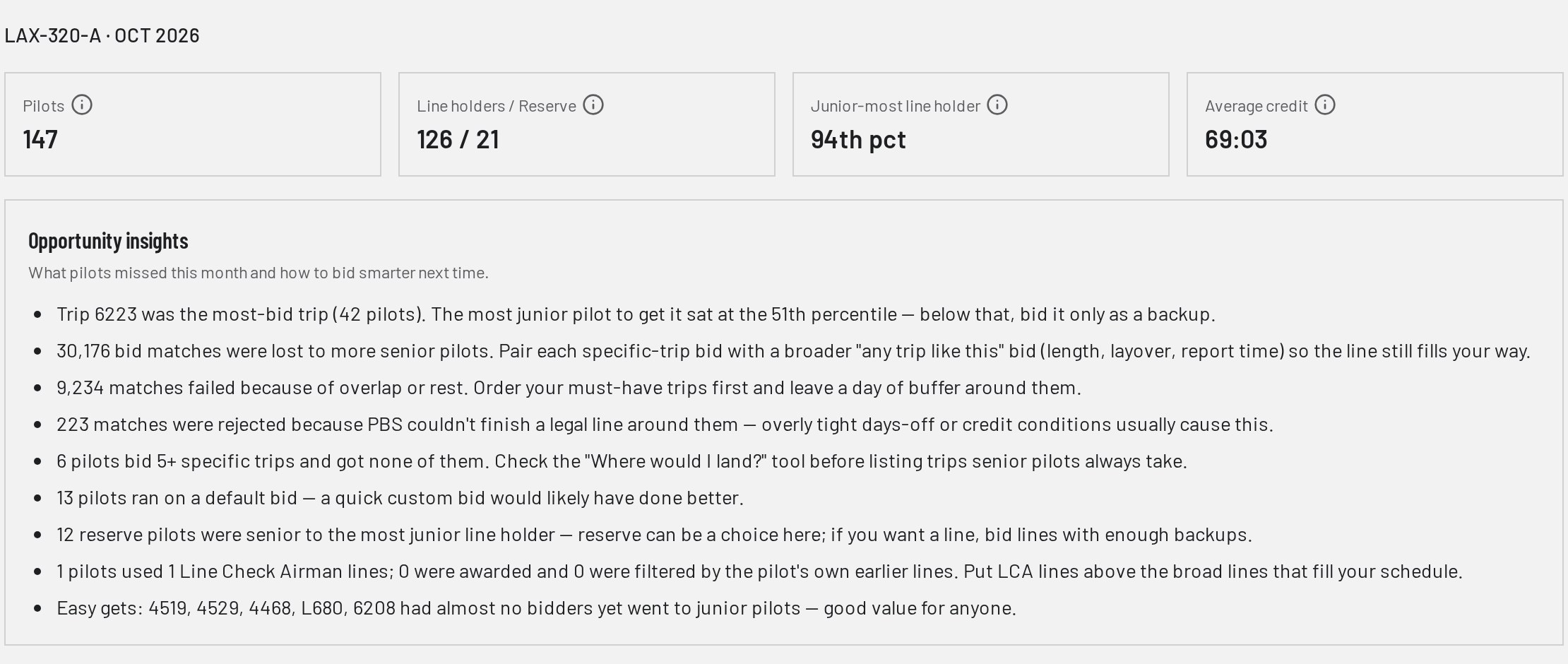
See where the award actually landed
Upload the PBS composite report after awards post and see the whole category in seniority order — who got what, who missed, and where you would have landed.
- Hot trips and hot layovers highlighted across the category
- All pilots or just your results, with percentile comparison
- Names and employee numbers removed — pilots appear by seniority rank only
Pay Check
Audit every paycheck against the contract
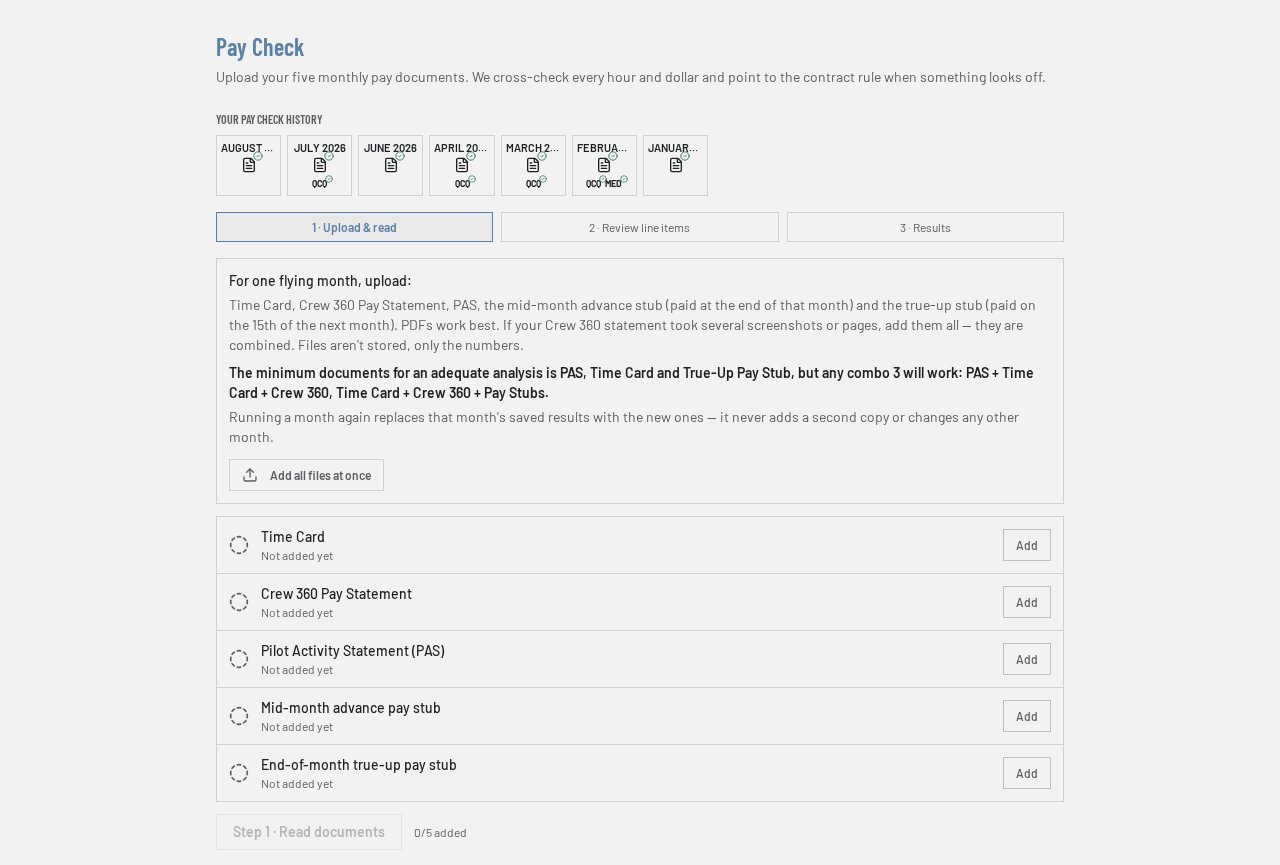
Upload your Time Card, Crew 360, PAS and pay stubs. Pay Check cross-references every hour and dollar and points to the contract rule when something looks off.
- Trip-by-trip pay, slip pay, per diem and guarantee verified against PWA pay tables
- QCQ training pay and FAA medical reimbursements tracked automatically
- A 12-month history dashboard shows each month's status at a glance
Layover Optimizer
Bid the layovers worth showing up for
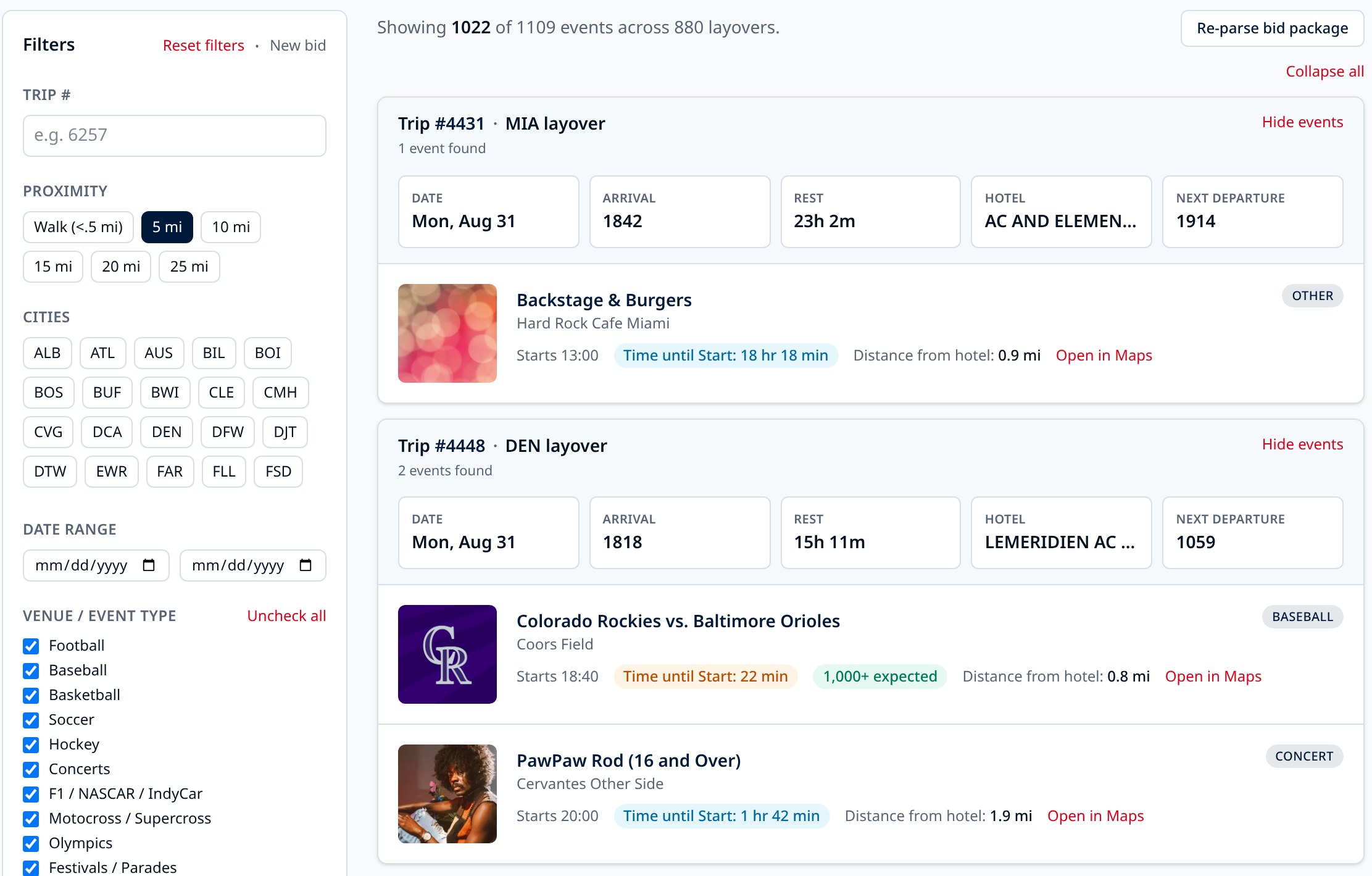
Concerts, playoff games, festivals, races — matched to your hotel, your arrival time and your rest, so you know which layovers land you somewhere worth walking to.
- Date, arrival, rest, hotel and next departure on every layover
- Events filtered by walking distance, type and minimum layover length
- Search a specific trip number or a whole month at a time
Ready to bid smarter?
Contract answers, legality flags, real trip values, bid results, pay audits and layover intel every bid cycle. New tools added later are included at no extra cost.
Unofficial tool. Always verify with your Chief Pilot, union representative, or the official source documents before acting on any answer.